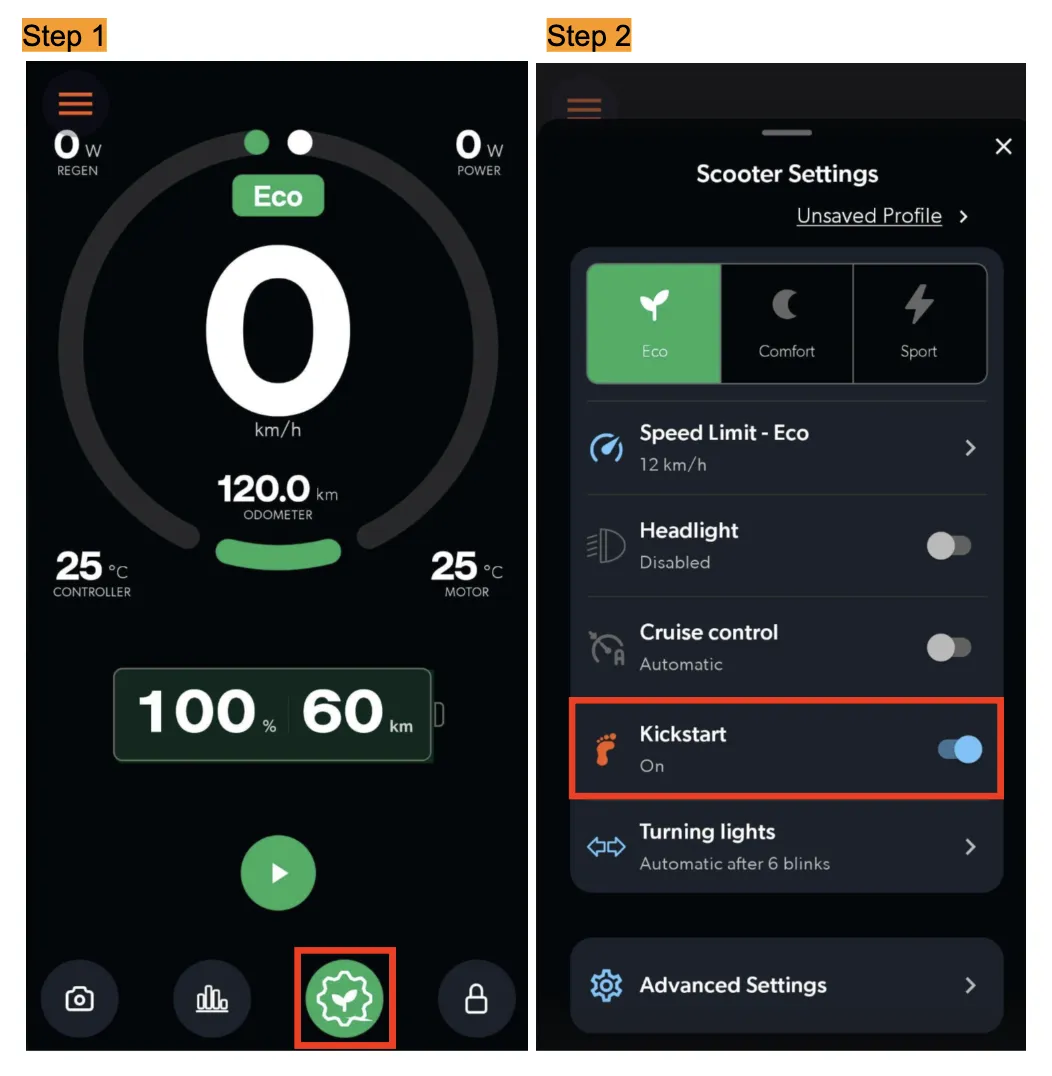
How to enable/disable kickstart in the app?
Last updated November 5, 2026
The throttle may not activate the motor of our app-enabled scooter model if the scooter has kickstart mode enabled in the app settings. This means you need to kick the scooter forward to gain speed before using the throttle to start the motor.
Kickstart is a safety feature. It prevents the scooter from accelerating immediately when you step on it, which is especially useful for first-time riders getting used to the throttle. A new scooter that seems not to accelerate out of the box: see "Motor & Controller General Troubleshooting Guide".
Tip: If you prefer the added safety of Kickstart, you can leave it on and simply give the scooter a light push before applying throttle.
Steps:
- Tap on the gear icon (Settings)
- Tap on "Kick Start" to toggle enable/disable